[Guide] Increase max characters posting count limit for self-hosted Mastodon server

- Posted in Guides by

If you search for the max_characters keyword in the Mastodon Github repository, you will see that it all points to the value within the StatusLengthValidator and a variable called MAX_CHARS.

MAX_CHARACTERS_LOCAL  = 255

To modify it, first, ssh into your Mastodon server, and switch to the root shell:

sudo -s

Then, switch to the Mastodon user

su - mastodon

Now, modify the validator file:

nano -w live/app/validators/status_length_validator.rb

At the very top of the file, you will see the MAX_CHARS variable, which was by default 500, you can modify it to another integer, for example 3000 to allow a maximum of 3000 characters within each post.

class StatusLengthValidator < ActiveModel::Validator
  MAX_CHARS = 3000
  URL_PLACEHOLDER_CHARS = 23
  URL_PLACEHOLDER = 'x' * 23

Exit to root shell and restart the Mastodon processes, or simply reboot.

exit
systemctl restart mastodon*

[Guide] PuTTY Backup & Restore [Windows]

- Posted in Guides by

Export

cmd.exe, requires elevated prompt due to reg-edit:

Only sessions (produces file putty-sessions.reg on the Desktop):

regedit /e "%USERPROFILE%\Desktop\putty-sessions.reg" HKEY_CURRENT_USER\Software\SimonTatham\PuTTY\Sessions

All settings except ssh keys (produces file putty.reg on the Desktop):

regedit /e "%USERPROFILE%\Desktop\putty.reg" HKEY_CURRENT_USER\Software\SimonTatham

Powershell

Only sessions (produces file putty-sessions.reg on the Desktop):

reg export HKCU\Software\SimonTatham\PuTTY\Sessions ([Environment]::GetFolderPath("Desktop") + "\putty-sessions.reg")

All settings except ssh keys (produces file putty.reg on the Desktop):

reg export HKCU\Software\SimonTatham ([Environment]::GetFolderPath("Desktop") + "\putty.reg")


Import

Double-click on the *.reg file and accept the import.

Alternative ways:

cmd.exe, requires elevated command prompt:

regedit /i putty-sessions.reg
regedit /i putty.reg

PowerShell

reg import putty-sessions.reg
reg import putty.reg

Note: do not replace SimonTatham with your username.

Note: These commands will not export the related SSH keys.


Via Registry Editor

Export

  • Launch Run, then type regedit in the open drop down window
  • Navigate to HKEY_CURRENT_USER\Software\SimonTatham
  • Right click on SimonTatham key (directory icon), select Export. Give the file a name (say) putty.reg and save it to your location for later use.
  • Close Registry Editor.

Note: The export (full) will also export the related SSH Host Keys.

Import

  • Check previous method(s)

PuTTY Portable Restore

[path_to_Your_portable_apps]PuTTYPortable\Data\settings\putty.reg

[Guide] USSD UPI

- Posted in Android by

TL;WW


I tried paying via USSD UPI today, and it worked. I had to use the UPI ID function, and did not go through with mobile number, but it worked.

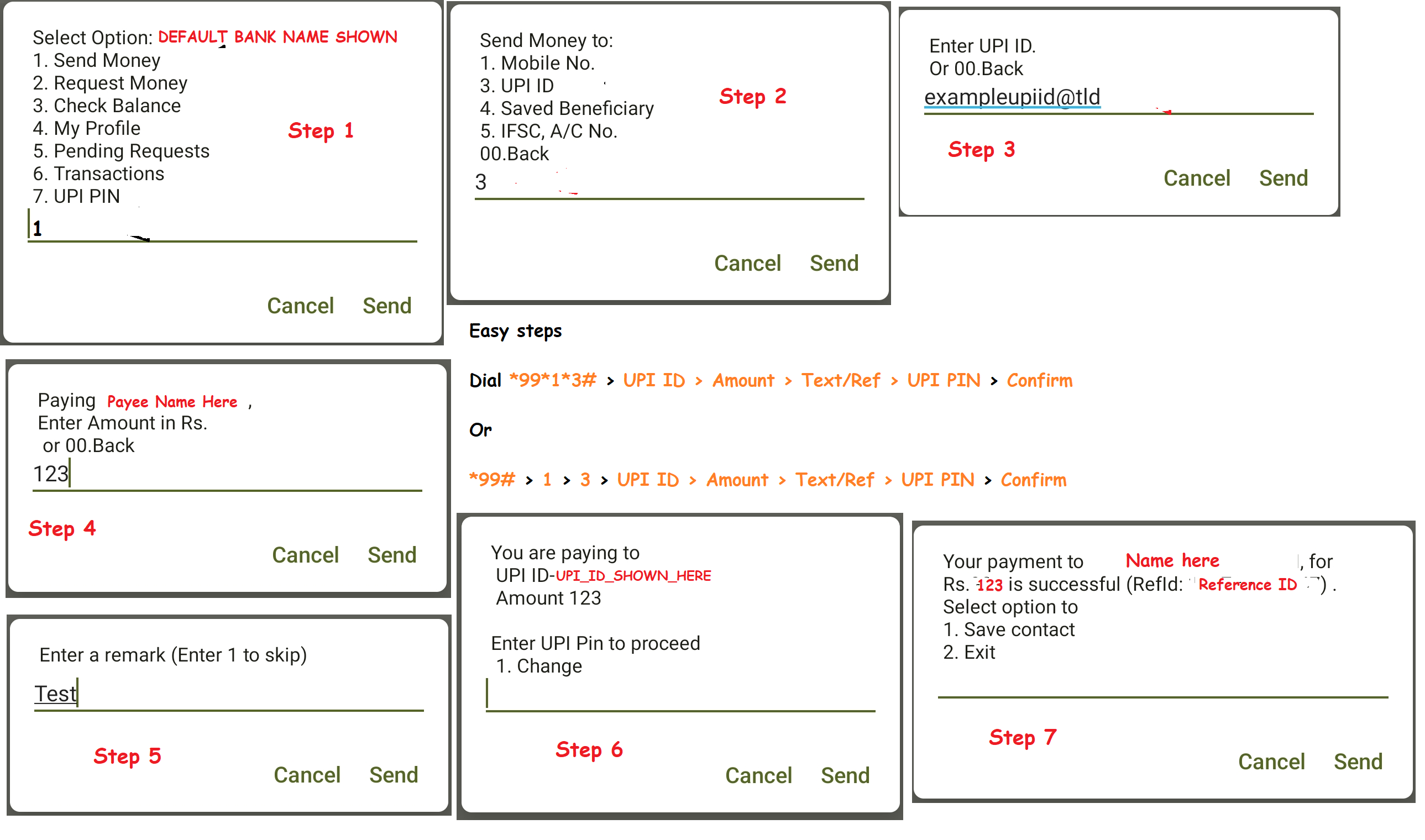
All I did was *99# > 1 > 3 > UPI ID > Amount > Text/Ref > UPI PIN > Confirm

One can also do it in shorter steps, like in any USSD code: *99*1*3# > UPI ID > Amount > Text/Ref > UPI PIN > Confirm

Please mind that you need to have the USSD UPI function activated, else this does not work.

I have captured it step wise in the below image as well.


USSD UPI Steps


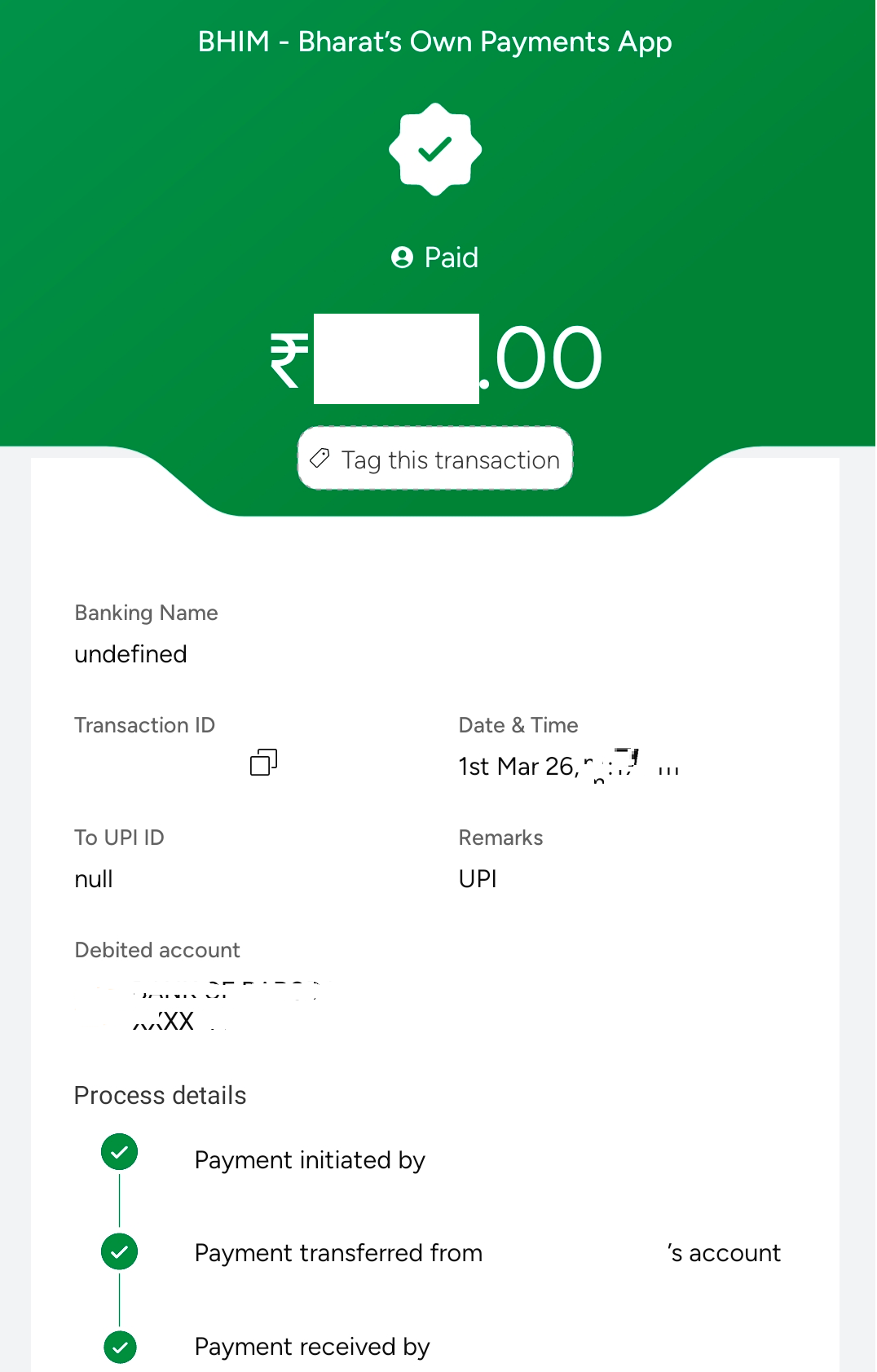
Update: I just cross checked to see what it shows up on my BHIM UPI, now this is weird. It is blank name and upi detail for the receiver. Very odd. Bug maybe?
Update 2: This seemed to be a temporary issue. Rest 4-5 payments I made, all showed correctly, without any issues.
BHIM Corrupted Entry
Though the SMS which I received, showed correct details. See image below
SMS Shows Correct details

Mastodon

Server down

- Posted in Linux/Unix by

In the morning I found out, my fbin.in server is down. When I checked, I cannot see the server in my list of products.

I have reached out to the support team, and awaiting for their Germany login time to reply.

Not even sure how this happened, as my other servers are running fine. Finding it very odd.

There is one more point which comes to mind: if I had a good ISP provider at home, and port openings, this would probably be with me, but home-server is not possible, unfortunately, at least for me. :(

Update: 28.01.2026 -> So basically, I had to get a new server from them to get all up and running. Seems, and I take full responsibility for this, I only placed a cancellation order, and never realized it, or forgot all about it. Though this has nothing to do with bus factor, as even in community (take Bento's docker issue for example), the ownership remains with 1 person, the owner.

Anyways, my instances are all up and running now, and hopefully, I will not face this situation again.

Server side secure banking in India?

- Posted in Android by

India specifically has a approach of client side encryption, which for banking/payments is not necessary at all. Nothing is stored client side on an app, or a browser, so why do you need client side security?

If I am rooted, using magisk, shizuku or whatever on my phone, why would it matter to you as a bank? If your server side encryption is ON, robust, working, and is there, then you have nothing to worry. You anyways prohibit snapshot, recent gets blurred; so, why the heck do you force us to use your senseless apps which should in the first place not be reading what I have installed, or which app is using which feature on my phone. This is privacy breach, no safe space for me, and you are violating my constitutional rights, all in one go.

All Indian banking and UPI apps force you to not have #accessibility turned on (even though they f'ing use it themselves); no #root; no #bootloader-unlocked (seriously, you are snooping to kernel level!!!); no #developer-mode on; no #debugging mode on; no 3rd party #keyboards (reason: they snoop, and foogle does not snoop? The first thing foogle keyboard does is share your typing data to its servers); only keyboards in /sys/priv & /sys/priv-apps are permitted. What nonsense... What are you trying to hide that debugging will reveal, or any of these will reveal? You have closed source your codes, you do everything behind paywall, and you stink!

#indianbankingapps; #hsbc; #bob; #sbi; #hdfc; #icici; #bhimupi & rest of #illiterate-developers

Ref: RBI_Circular (PDF)

Upgrade Forgejo

- Posted in Linux/Unix by

Forgejo is the best when it comes to hosting your own stuff over a git. Rest all for me have been dull, and I get the pain for setting up any sort of app/software.

Anyhow, what I love about the binaries is, forgejo for one is the simplest to setup. Here is how I do it:


systemctl stop forgejo.service && wget https://codeberg.org/forgejo/forgejo/releases/download/vX.X.X/forgejo-X.X.X-linux-amd64 && chmod +x forgejo-X.X.X-linux-amd64 && cp forgejo-X.X.X-linux-amd64 /usr/local/bin/forgejo && chmod 755 /usr/local/bin/forgejo && systemctl start forgejo.service && rm forgejo-X.X.X-linux-amd64 && systemctl status forgejo.service

Simply replace the X.X.X with the version you are installing. Example: 11.0.9 or 13.0.4 (latest ones).

So something like:

systemctl stop forgejo.service && wget https://codeberg.org/forgejo/forgejo/releases/download/v13.0.4/forgejo-13.0.4-linux-amd64 && chmod +x forgejo-13.0.4-linux-amd64 && cp forgejo-13.0.4-linux-amd64 /usr/local/bin/forgejo && chmod 755 /usr/local/bin/forgejo && systemctl start forgejo.service && rm forgejo-13.0.4-linux-amd64 && systemctl status forgejo.service

or for the LTS:

systemctl stop forgejo.service && wget https://codeberg.org/forgejo/forgejo/releases/download/v11.0.9/forgejo-11.0.9-linux-amd64 && chmod +x forgejo-11.0.9-linux-amd64 && cp forgejo-11.0.9-linux-amd64 /usr/local/bin/forgejo && chmod 755 /usr/local/bin/forgejo && systemctl start forgejo.service && rm forgejo-11.0.9-linux-amd64 && systemctl status forgejo.service

[Book Review] A Murder In Paris - Matthew Blake

- Posted in Amazing Books by

Usually, I do not write about books, as I love to read and speak about the same, rather than jot down my memories about it. However, I guess I can start and with an exceptional book, I saw very differently.

Written by Matthew Blake, this book has woven the words in a different parallel line altogether. It relates so much to my own thoughts, how I see my vague memories as, how I have drifted them in ways I never imagines I could do.

The book is not just about how one sees and thinks, but how one remembers and recollects and then recalls the same recollection. With each passing step, that memory changes.

Started in one era; lied and kept that way for decades, to manipulate your own reality; how survival strategies were defined during the war, why someone can destroy you (own love) for mere survival. Seems survival of the cruelest, Cruella De Vil... .

What really resonates is this paragraph from pages 282-283:

Every time we recall a memory, we change the original, and all we have is the latest edited version of the memory. Over time, the memory that has been edited tens, hundreds, even thousands of times, has no connection with the original event. It could be your first kiss, the dying words of a loved one, a life-changing accident -- your memory of it will be different from how it actually happened, just because you've remembered it so many times.

enter image description here

I enjoy novels and suspense which lead to a deep examination of human nature—especially the question of whether memories can ever truly be trusted, with or without the influence of dementia. I highly recommend this book to everyone. It is a masterpiece in itself.

Copy Move

- Posted in Linux/Unix by

To ensure . files get moved/copied in one go.

Run - shopt -s dotglob

Then example - mv /tmp/home/source/* /home/destination/

You can put - shopt -s dotglob in your ~/.bashrc if you want it to be the default

Then run - source ~/.bashrc for it to reload

This I got from: Ubuntu Answers

India & oss

- Posted in First Timers by

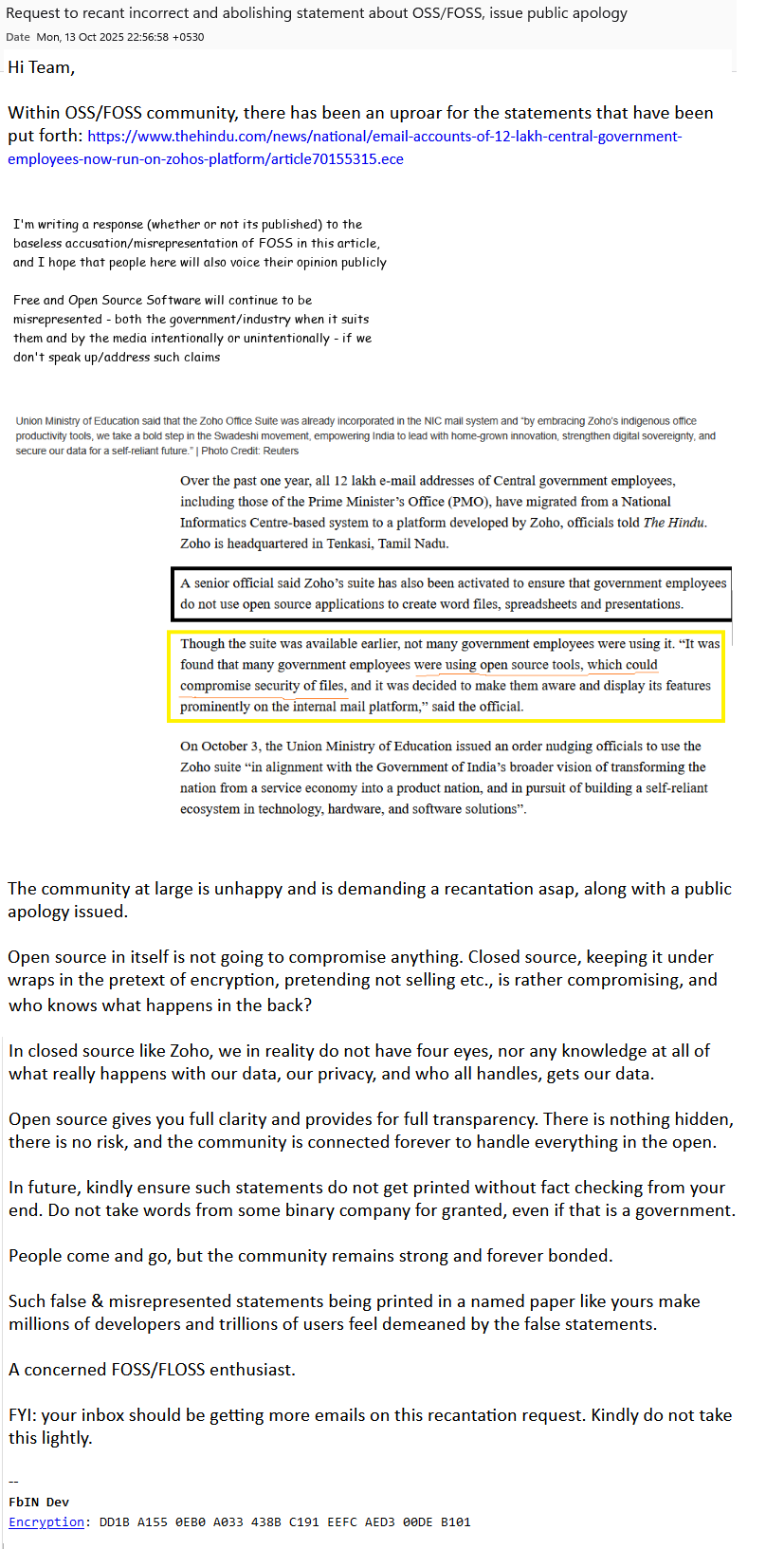
Recently I have seen a lot of hub-dub about India going "make in India", especially towards governmental suits. Now, I really would love to have that done for India. Given if India goes OSS, while propagating so much about OSS, would really be the right step. Instead what has happened is going to zoho. Now zoho may claim to be secure and stuff, but we all know one thing for sure, unless I know what the software is made of, to the last line of code, how can I really be going OSS, or for that sake safe?

Even though I do not know how to read the whole code, but if the code is open and available, it gives me a security and risk free of knowing the community is aware and will surely raise or has already raised what is there, and what not, inflight risks included.

What actually is happening, or rather what has already gone BAU: Zoho lands GOI contract for 7 years

Email accounts of 12 lakh Central government employees now run on Zoho’s platform

Community at large is aware of what Zoho did recently. The so called "ulaa browser" is simply a closed sourced duplicate of Chromium + whatever they are hiding behind the wall. They landed lakhs of rupees in this doing, which was the start of blinding the already foolish bureaucrats.

Politics is all about money, power and the 4 legs of a chair. This contract is nothing but one and all of those pointers. There is nothing unique abut Zoho. There is nothing right about their so called whatsapp replacement, arratai.

Zoho reminds me of how bollywood is the best in copy-pasting. How Netflix readily copies from some original French or German movie/series and whips up a Spanish series. I will not deny, copy-pasting and trying to hide it is a big art, and artists like this are abundant, but eyes open one day, for everyone. Trouble is, it is already too late by then.

Wake up India. Rather while you are already awake, please stop wasting tax payers money, and do not use closed source software and compromising public data with closed sourced conglomerates as well.

We did not allow it. We did not bring you to power for doing what is not right. Remember, public has the biggest power. Pen really is mightier than 4 legs of your chair.

Meanwhile, GOI nonsense which raked my brain was:

Union Ministry of Education said that the Zoho Office Suite was already incorporated in the NIC mail system and “by embracing Zoho’s indigenous office productivity tools, we take a bold step in the Swadeshi movement, empowering India to lead with home-grown innovation, strengthen digital sovereignty, and secure our data for a self-reliant future.”

& furthermore, what is this supposed to mean?

A senior official said Zoho’s suite has also been activated to ensure that government employees do not use open source applications to create word files, spreadsheets and presentations.

Though the suite was available earlier, not many government employees were using it. “It was found that many government employees were using open source tools, which could compromise security of files, and it was decided to make them aware and display its features prominently on the internal mail platform,” said the official.

Are you even aware what you are saying? Simply put, "Seriously!!!"

So you mean millions of developers and trillions of users of OSS/FOSS/FLOSS are brainless? Everyone is getting compromised by using OSS/FOSS/FLOSS stuff?

This is one cake; MoE, are you even aware what you just did?

On October 3, the Union Ministry of Education issued an order nudging officials to use the Zoho suite “in alignment with the Government of India’s broader vision of transforming the nation from a service economy into a product nation, and in pursuit of building a self-reliant ecosystem in technology, hardware, and software solutions”.

This reminds me of how everyone thinks foogle is the "guru of search" (ref: The Vault Of Vishnu - Ashwin Sanghi, page 85, line 5 from top). Makes me laugh out loud.

I have reached out to The Hindu & The Zoho & will also reach out to MoE specifically to recant those words, and publicly apologies. They are already so deep into ego, they need to learn: they are the one in need of a real education and not the other way round here.

enter image description here

[Guide]Let's Encrypt SSL/HTTPS Certificate for a unique port with HestiaCP

- Posted in Guides by

Introduction

In this tutorial, I will guide you through the process of setting up a let's encrypt ssl/https certificate (reverse proxy) on a unique port other than 80/443, example port:4545 on the root server for hosting using Hestia Control Panel (See installation URL given under prerequisites below). Hestia Control Panel is a popular open source web server control panel that simplifies the management of your website, email accounts, databases, and other hosting-related tasks. This tutorial is compatible with both VPS and Root Server offerings by netcup.

Assumptions:

  • You already have a sub-domain setup and the requisite service installed at the specified http port (example - http://sd1.domain.tld:4545).
  • You have the sub-domain setup with SSL/HTTPS (443) setup (example - https://sd1.domain.tld)
  • You have bare minimum knowledge of terminal, web servers, vhosts, reverse proxy.

The reading time of this tutorial is about 35 minutes; implementation will take approximately 60-70 minutes.

Background

The objective of Let’s Encrypt and the ACME protocol is to make it possible to set up an HTTPS server and have it automatically obtain browser-trusted certificates without any human intervention. This is accomplished by running an ACME client on a web server. To know more, visit Let's Encrypt. This also forms a part for use in Nginx reverse proxy configuration.

Forgejo is a self-hosted lightweight software forge (simple software project management). Easy to install and low maintenance, it just does the job.

In the world of open-source software, the story of how a project is governed is often as important as the code itself. Forgejo is a powerful testament to this fact. It is a “soft fork” of Gitea, created by a community of users and contributors to ensure that the project’s future remains in the hands of a non-profit, community-driven organization.

Born out of concerns following the creation of a for-profit company to manage Gitea, Forgejo’s mission is to be a truly free and open-source software (FOSS) forge, managed under the stewardship of the Codeberg e.V. non-profit. It is technically very similar to Gitea, but philosophically, it represents a commitment to community ownership and non-commercial governance.

Since Forgejo by default/design runs on port 4545 and many other projects also default to port 4545, I chose a different port (example 4545 here). This helps me keep it running in the background without conflicting with other applications. This was necessary for 2 more reasons:

  • Clean url everytime Example instead having to type or visit https://git.example.com:4545 every time, I will have a cleaner url as https://git.example.com.
  • Issue an HTTPS/SSL/TLS enabled URL and enjoy the higher level of security. Visitors & users of my site would also know they are safe.

Prerequisites

  • A server from netcup with latest Ubuntu 20.04/22.04/LTS; Debian 10/11/12/LTS or later installed (see the below URL) - use minimal mode of installation, also called clean installation. Installation Tutorial or the blog guide here.
  • A registered domain name
  • Access to your server

Step 1: Update your system

Before we begin, it's essential to ensure that your system is up-to-date. Log in to your server via SSH as the root user and run the following command:

For Ubuntu/Debian:

apt update && apt upgrade -y

Step 2: Add the necessary changes to the service (example git)

username@serverip:port

I created a normal subdomain at normal 80/443 ports with LE SSL generated. Then in the git app.ini (/etc/git/app.in) file, added this under [server]

nano /etc/git/app.ini
--------------
[server]
ENABLE_ACME = enable
HTTPS_PORT = 4545 ssl
ROOT_URL = https://git.domain.tld
-------------- **(save changes to the file by typing CTRL+X simultaneously)**
CTRL+X
Y
Enter

Then under nginx.conf ($HESTIADATA\conf\web\git.domain.tld\nginx.conf) I added

nano /$HESTIADATA\conf\web\git.domain.tld\nginx.conf
--------------
 location / {
     client_max_body_size 4096M;
     proxy_pass http://localhost:4545;
     proxy_set_header Connection $http_connection;
     proxy_set_header Upgrade $http_upgrade;
     proxy_set_header Host $host;
     proxy_set_header X-Real-IP $remote_addr;
     proxy_set_header X-Forwarded-For $proxy_add_x_forwarded_for;
     proxy_set_header X-Forwarded-Proto $scheme;
-------------- **(save via)**
CTRL+X
Y
Enter

Then under apache2.conf ($HESTIADATA\conf\web\git.domain.tld\apach2.conf) I added

nano /$HESTIADATA\conf\web\git.domain.tld\apache2.conf
--------------
     ProxyPreserveHost On
     ProxyRequests off
     AllowEncodedSlashes NoDecode
     ProxyPass / http://localhost:4545/ nocanon
-------------- **(save via)**
CTRL+X
Y
Enter

Then under apache2.ssl.conf ($HESTIADATA\conf\web\git.domain.tld\apache2.ssl.conf) I added

nano /$HESTIADATA\conf\web\git.domain.tld\apach2.ssl.conf
--------------
 < VirtualHost git.domain.tld:8443 https >
*****************************
*****************************
    ProxyPreserveHost On
     ProxyRequests off
     AllowEncodedSlashes NoDecode
     ProxyPass / http://localhost:4545/ nocanon
-------------- **(save via)**
CTRL+X
Y
Enter

I also enabled the following to ensure the proxy works:

 a2enmod proxy
 a2enmod proxy_http
 a2enmod proxy_balancer
 a2enmod proxy_wstunnel
 systemctl restart apache2

Then I restarted all services

 systemctl restart apache2
 systemctl restart nginx
 systemctl start git.service

I got the help from these:

APache SSL long record rrror

Let's Encrypt SSL certificate

Gitea reverse proxy - Apache HTTPD

Gitea reverse proxy - general conf

Gitea reverse proxy - NGINX

Someone's personal Forgejo guide

Conclusion

Awesome! You've successfully set up a let's encrypt certificate on a unique port other than the usual 443/8443.
Sir? SIR!, Sire?

- Posted in Blabbermouth, me by

So just a bit of rant here. When you are in the corporate nonsense, a layer matters, I guess? People are so filled with ego, that they will ask someone what your level is. Example: Security, Bull, Bombay, or even Greece, does not matter, but if there is a swipe machine at the gate, I am sure it is not there as a museum piece, right? You need to swipe it, so swipe it for god's sake. What has someone's level in the company gotta do with it? I saw him/her entering without swiping. I requested, please swipe. The look was killing. Blurted: what "f level are you?"


🤣🤣🤣

So you see, why the SIRE comes into picture, MY LORD?


Point-Love-15

FOSS India Pune Meetup, 2025

- Posted in Club Frenzy by

I came back from Pune FOSS Meetup (monthly ones usually) today (my first ever). The monthly meetup was nice, interactive, and the room was filled (approx 40-45 of us were there) with youngsters beaming for new things, knowledge, and pretty shy as well. 🪭😳

Onkar, Sriya, Agastya, Prathamesh, Khushi (FOSSUnited) and Joshua (host/Technogise) were very supportive, open and made every one feel very welcomed. It was real nice to be there, got to know a lot.

What I really liked was that youngsters were filled with thoughts about what FOSS is all about? They were intently listening, even interacting, asking questions, and I saw few take notes. I am bad at remembering names (not faces though), so I am not sure I recall the names (anger management). Anyways, I heard one enthusiast take the name of Joplin, which peaked my height, as being India, and knowing how things go (to a certain extent of course), I liked it and started to pitch for the usage of F-Droid as well, which I was sad to see, hardly anyone knew.

Some knew of AuroraStore as well, and were using it daily. I was pitching more on take control and switch from closed source to open source. I spoke about some nightmares of my rooting experience of more than a decade & half back, which was like a WOAH for me too.

All working individuals were pitching Linux/Unix, which was so nice. I kept cringing about being a non-dev 😜, and liked how we had a good interactive session throughout.

What I found odd, and I have been vocal anyways: usage of google and proprietary stuff a lot by everyone. We need to move out of the GAFAM nonsense and take back our privacy, which I tried to pitch as much as possible. Drumming the R.E.M. Privacy is Scrooge McDuck saving his Lucky Coin from Cruella, Money from Maa Beagle & Beagle Boys.

Another thing I found odd, XMPP is missing from India & FOSS. Start using it too people. 🙂

FYI: I host a lot of stuffs, and own my domain and what not. Start using them, and happy to have that traffic.. --> LibreQR | 4G Search | LibreY Search | PasteBin | Hosts

To wrap this post up...

There were refreshments for everyone and the best part for me; they kept it vegetarian. 👌👌 Overall, I enjoyed being there, and I hope they liked my butting too. 😎🫡


Keeping this small so as not to bore anyone wishing to read this. Unfortunately, I will not be able to attend the Bangalore one. Guess, I can do it next year.

Termux & Remote SSH

- Posted in Android by

Install Termux & Termux Styling

Upgrade packages & install openssh and iproute2 on termux.Also, install root packages & busybox package if you need them.

pkg update -y && pkg upgrade -y
pkg install openssh -y
pkg install iproute2 -y
pkg install root-repo -y
pkg install busybox termux-services -y

If you like, you can also add the following termux repositories:

echo "deb https://grimler.se/termux-packages-24 stable main" > $PREFIX/etc/apt/sources.list
echo "deb https://grimler.se/termux-packages-24 stable main" > $PREFIX/etc/apt/sources.list.d/game.list
echo "deb https://grimler.se/termux-packages-24 stable main" > $PREFIX/etc/apt/sources.list.d/science.list

Ensure to setup the storage and stuff beforehand. See here: Setup Storage

Create SSH Private/Public Key Pair on Android - Termux

In our android device, we need to generate SSH key pair for connecting to SSH server the remote machine (example debian). So, run the following command (this will also name the file as android for easy referencing):

ssh-keygen -t ed25519 -f id_ed25519_android

This will create the public & private key files in the ~/.ssh folder (/data/data/com.termux/files/homes/.ssh)

Send SSH Public Key to Remote Machine

Run cat ~/.ssh/id_ed25519_android.pub from termux which will return the public key for your android device.

It will be something like this:

ssh-ed25519 ABCDE1AaaA1aAAA1AAA1AAAAAAAAAaaaA1AaaAaaaAaaa1aAAAAaaAAAAaAaaaAAaaAA user@host

Now copy and paste this key to your remote machine either via the chat box option in the file transfer assistant app PlainApp or copying the id_ed25519_android.pub file across to your remote machine and then copy the content to ~/.ssh/authorized_keys file ($HOME/.ssh/authorized_keys).

Now kill any running sshd service by typing in termux: pkill -9 sshd. This is to let go of any cache or broken service pipes.

Now rerun sshd and connect to your remote server using the private key as pairing for the public key, via:

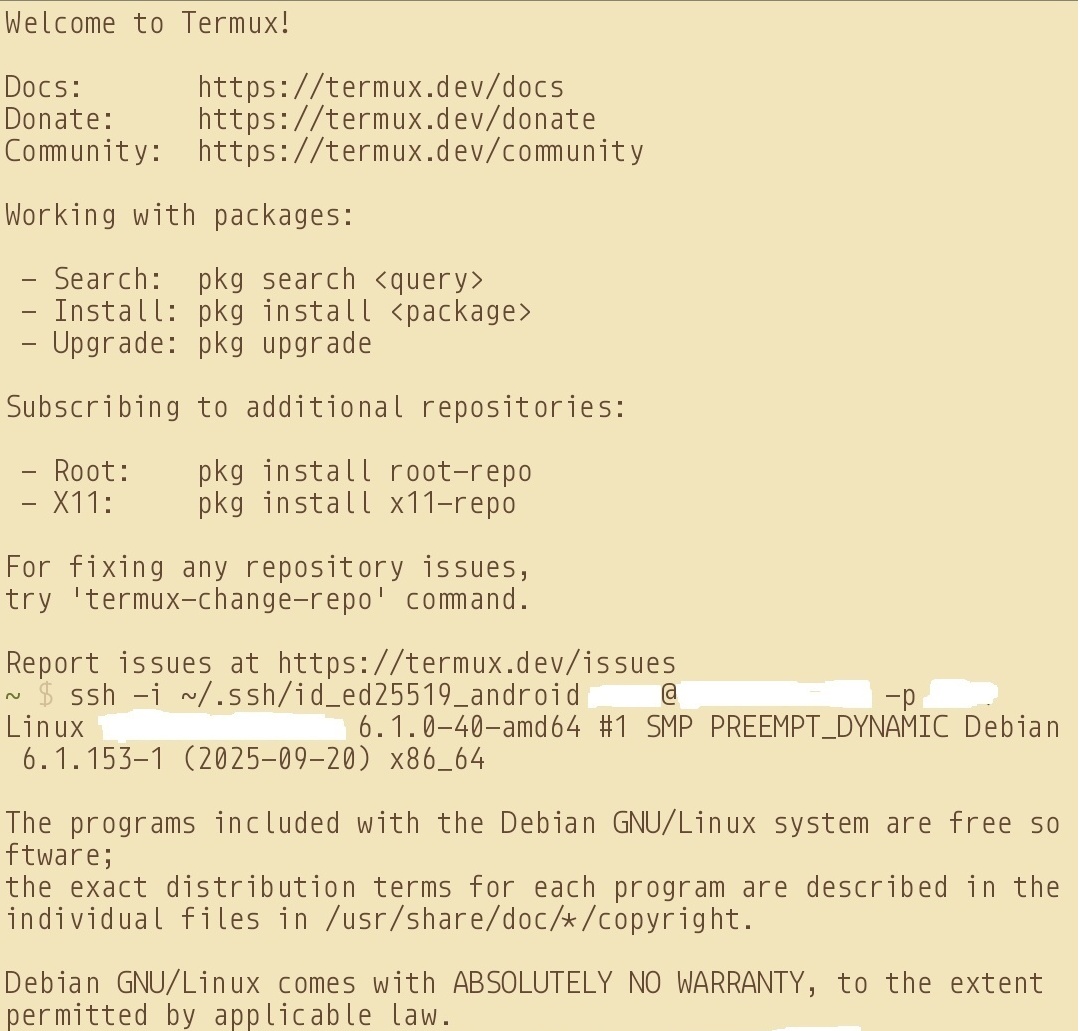
ssh -i ~/.ssh/id_ed25519_android user@host -p 1234


Sources & my own racking of 5 days:

Termux Wiki | Termux Repos | Some Logic


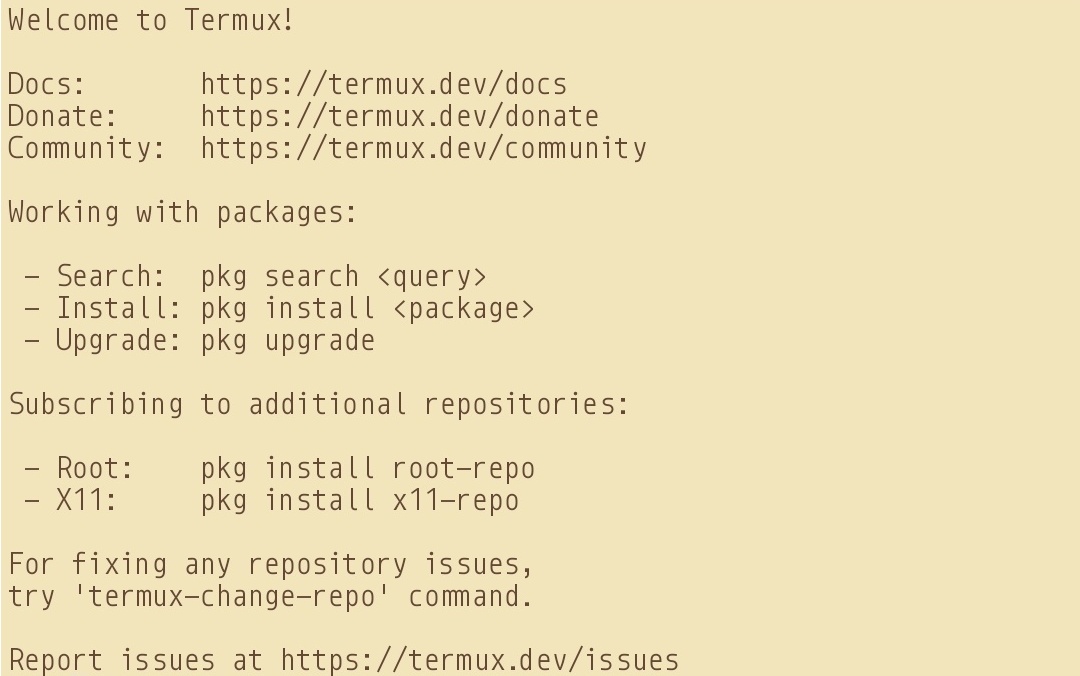
Sample images:

  • Main Screen

Termux Main Window

  • SSH Connected

SSH Connected

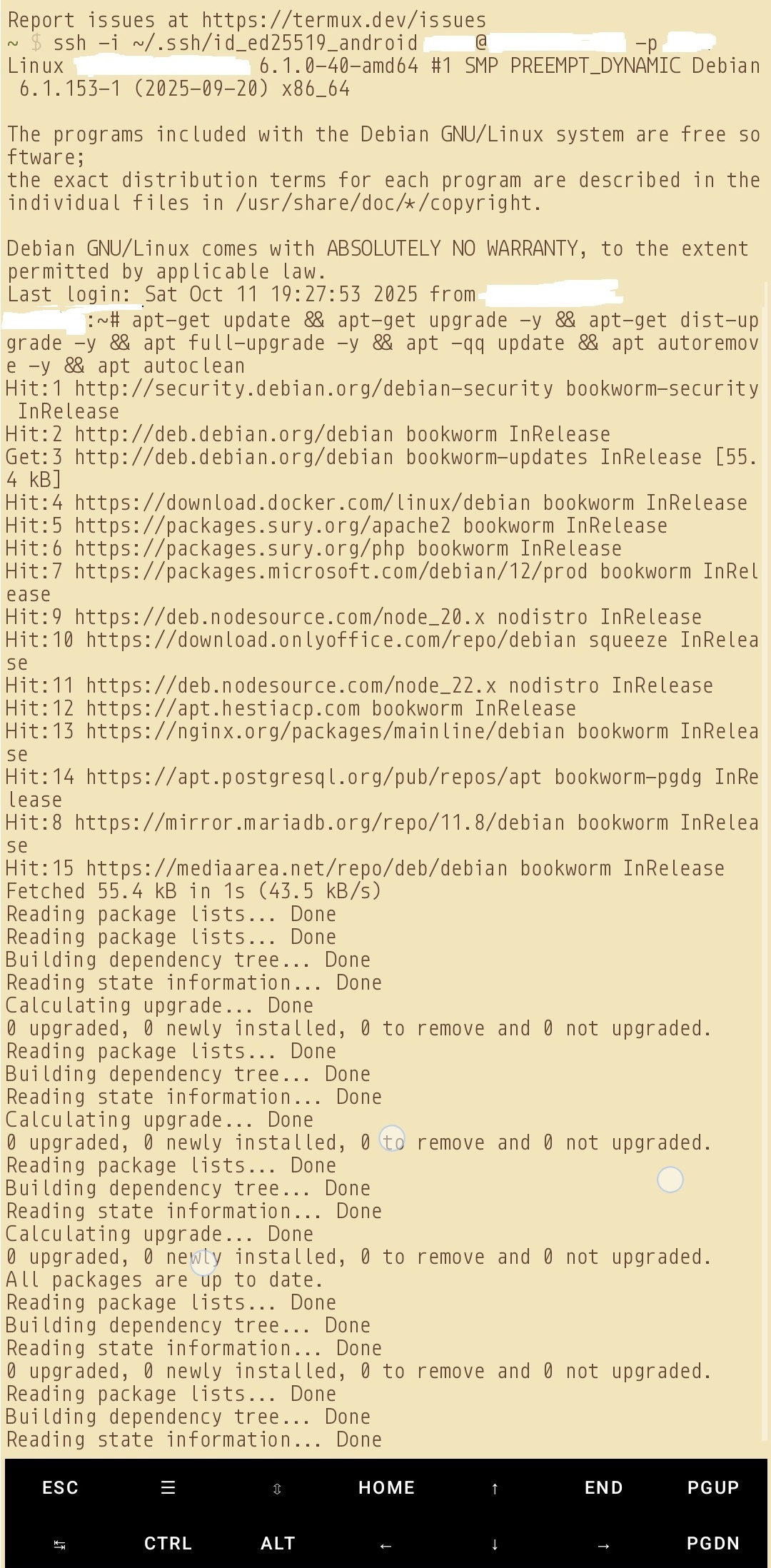
  • Sample Commands

Commands being run

Rewrite Engine (Messy)

- Posted in Guides by

Anyways.. To redirect a website, say example.co.uk to say example.co.uk/file.php

RewriteEngine on RewriteCond %{HTTP_HOST} ^example\.co\.uk$
[OR] RewriteCond %{HTTP_HOST} ^www\.example\.co\.uk$
RewriteRule ^/?$ "https\:\/\/example\.co\.uk\/file.php"
[R=301,L]

To rewrite PHP files

RewriteEngine On
RewriteCond %{REQUEST_FILENAME} !-d
RewriteCond %{REQUEST_FILENAME} !-f
RewriteRule ^([^.]+)/?$ $1.php [NC,L]
RewriteCond %{THE_REQUEST} /([^.]+)\.php [NC]
RewriteRule ^ /%1 [NC,L,R]
RewriteCond %{REQUEST_FILENAME}.php -f
RewriteRule ^ %{REQUEST_URI}.php [NC,L]

To rewrite HTML files

RewriteEngine On
RewriteCond %{REQUEST_FILENAME} !-f
RewriteRule ^([^.]+)$ $1.html [NC,L]
RewriteEngine on
RewriteCond %{THE_REQUEST} /([^.]+)\.html [NC]
RewriteRule ^ /%1 [NC,L,R]
RewriteCond %{REQUEST_FILENAME}.html -f
RewriteRule ^ %{REQUEST_URI}.html [NC,L]

To ensure access is limited and not exposed

<Files 403.shtml>
order allow,deny
allow from all
</Files>

RSS-Bridge - Installation

- Posted in Guides by

Even though they have their guides, it somehow never works for me (possible as I am using a master user)

I will just describe the steps here for traditional installation on either a shared hosting or on a control panel based hosting.

CD to the folder under html of the virtual host.

  • wget https://github.com/RSS-Bridge/rss-bridge/archive/refs/heads/master.zip
  • unzip master.zip
  • mv rss-bridge-master/.* .
  • rm rss-bridge-master && rm master.zip && cp config.default.ini.php config.ini.php
  • optionally you can delete the "docker" files/folders
  • make necessary changes where you wish. If on a shared server, do not enable all bridges
  • chown -R user:user ./* ./.* && chown -R user:www-data ./cache && cd

CHATTR - DNS Nameserver file (immutable)

- Posted in Linux/Unix by

Check if immutable attribute is currently applied or not:

lsattr /etc/resolv.conf

Result

----i---------e------- /etc/resolv.conf

Remove it:

sudo chattr -i /etc/resolv.conf

Verify:

lsattr /etc/resolv.conf

Result

--------------e------- /etc/resolv.conf

Make changes to the resolv file for DNS nameservers:

nano /etc/resolv.conf CTRL+X (save) > Y > ENTER

Apply the attribute again:

sudo chattr +i /etc/resolv.conf

Verify:

lsattr /etc/resolv.conf

Result

----i---------e------- /etc/resolv.conf

Ubuntu Forum

CHOWN & CHMOD - R

- Posted in Linux/Unix by

CHOWN

chown -R user:mail ./* ./.[!.]*


CHMOD

-#to remove executable permissions

chmod -R 600 /path

-# to make directories transversal

chmod -R u=rwX,g=,o= /path

Above. for the user owner i'm giving capital "X", so it does apply only to directories and not files

-# all files in the current directory, recursively, including hidden files

chmod 755 -R ./* ./.[!.]*

-#all files in the current directory, not recursively, including hidden files

chmod 755 ./* ./.[!.]*

Notes: This will not change an exception filename starting with 2 dots, as example,

./..weirdfilenamehere.txt

Also, be careful not to remove the x bit, or else all your directories will not be accessible (one needs the x bit to cd into a directory).

Remember this: never use bare * but ./* instead.

To avoid problems setting permissions on directories, use find instead.

find . -type f -exec chmodVALUE{} \;


ACL (Access Control Level)

-# To apply the ACL

setfacl -Rm u::rwX,g::0,o::0 /path

-# To make the applied ACL default policy so newly created files will inherit the desired permissions.

setfacl -Rm d:u::rwX,g::0,o::0 /path

Again using capital X so it applies only to directories and not files.

CHOWN - Stackoverflow Forum || CHMOD & ACL - SuperUser Forum

Let's Encrypt SSL on specific port(s)

- Posted in Guides by

I was finally able to get forgejo (port 3000) (specific port) redirect to https with let's encrypt ssl.

I created a normal subdomain at normal 80/443 ports with LE SSL generated. Then in the forgejo app.ini (/etc/forgejo/app.in) file, added this under [server]

[server] ENABLE_ACME = enable HTTPS_PORT = 3000 ssl ROOT_URL = https://git.domain.tld

Then under nginx.conf ($HESTIADATA\conf\web\git.domain.tld\nginx.conf) I added

location / {
  client_max_body_size 4096M;
  proxy_pass http://localhost:3000;
  proxy_set_header Connection $http_connection;
  proxy_set_header Upgrade $http_upgrade;
  proxy_set_header Host $host;
  proxy_set_header X-Real-IP $remote_addr;
  proxy_set_header X-Forwarded-For $proxy_add_x_forwarded_for;
  proxy_set_header X-Forwarded-Proto $scheme;

Then under apache2.conf ($HESTIADATA\conf\web\git.domain.tld\apache2.conf) I added

    ProxyPreserveHost On
    ProxyRequests off
    AllowEncodedSlashes NoDecode
    ProxyPass / http://localhost:3000/ nocanon

Then under apache2.ssl.conf ($HESTIADATA\conf\web\git.domain.tld\apache2.ssl.conf) I added

    < VirtualHost git.domain.tld:8443 https >

    ProxyPreserveHost On
    ProxyRequests off
    AllowEncodedSlashes NoDecode
    ProxyPass / http://localhost:3000/ nocanon

I also enabled the following to ensure the proxy works:

    a2enmod proxy
    a2enmod proxy_http
    a2enmod proxy_balancer
    a2enmod proxy_wstunnel
    systemctl restart apache2
    systemctl restart nginx
    systemctl start forgejo.service

I got the help from these: APache SSL Long Record Error || Let's Encrypt SSL Certificate || Gitea Reverse Proxy - Apache HTTPD || Gitea Reverse Proxy - General Conf || Gitea Reverse Proxy - NGINX || HestiaCP Post || Reddit Post

Install Hestia Control Panel (Debian 12 Root Server)

- Posted in Guides by

I recently purchased a KVM root server from Netcup to finally move my FbIN domain and the related services there. Those being very resource hungry items, my current shared hosting setup was making my life a pain. It has been a place where I was restricted a lot, being shared resources, shared space, and everything. I even tried at home networking, but being CG-NAT, nothing worked, not even DDNS.

So, let us start with it.

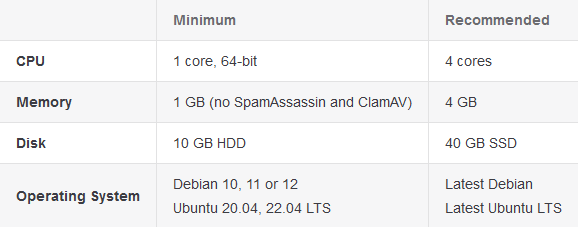
Requirements: Writing for example KVM - RS 2000 G12 1M Rabatt (netcup) Operating System: Debian 12 Bookworm - Minimal Install Processor: AMD EPYC™ 9645 Processor cores: 8 dedicated RAM DDR 5 ECC: 16 GB Hard drive: 512 GB NVMe SSD Location: Europe Hestia URL: Getting Started Documentation | Generate Installation Script | WGET URL | List Of Installation Options

enter image description here


Note: Installer needs to be run as root. Also, Hestia must be installed on top of a fresh operating system installation to ensure proper functionality. If on a VPS/KVM, and there is already an admin account, either delete that default admin ID, or use --force to continue with the installation. See my custom installation script below for further details. Hestia only runs on AMD64 / x86_64 and ARM64 / aarch64 processors. It also requires a 64bit operating system! Hestia currently does not support i386 or ARM7-based processors.

Note: Never run a web or mail domain with the admin user.


Login

  • Login to your server via SSH/Terminal
  • Update your system apt update && apt upgrade -y

Download

  • cd /home
  • wget https://raw.githubusercontent.com/hestiacp/hestiacp/release/install/hst-install.sh

If the download fails due to an SSL validation error, please be sure you've installed the ca-certificate package on your system - you can do this with the following command:

  • apt-get update && apt-get install ca-certificates

Run this Installation Script

bash hst-install.sh --hostname 'examplepanel.domain.tld' --username 'admin' --email 'workingmail@domain.tld' --password 'strong&complexpasswordhere' --multiphp '8.2,8.3,8.4' --postgresql yes --sieve yes --webterminal yes --force

This command will force install Hestia in English with the following software:

  • Nginx Web Server
  • PHP-FPM Application Server
  • PostgreSQL & MariaDB
  • Database Server
  • IPtables Firewall + Fail2Ban Intrusion prevention software
  • VSFTPD FTP Server
  • Exim Mail Server
  • Dovecot POP3/IMAP Server
  • Sieve
  • ClamAV
  • API
  • Web Terminal
  • Port 8083

Once installed, you can start accessing your installation at: https://panelexample.domain.tld:8083 or http://your.public.ip.address:8083

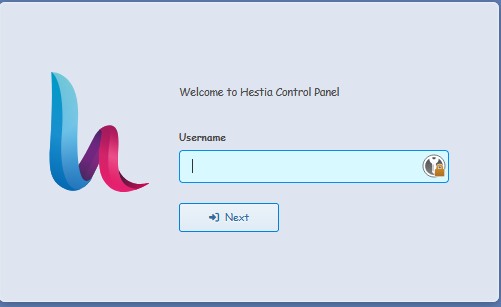
Login Page

enter image description here

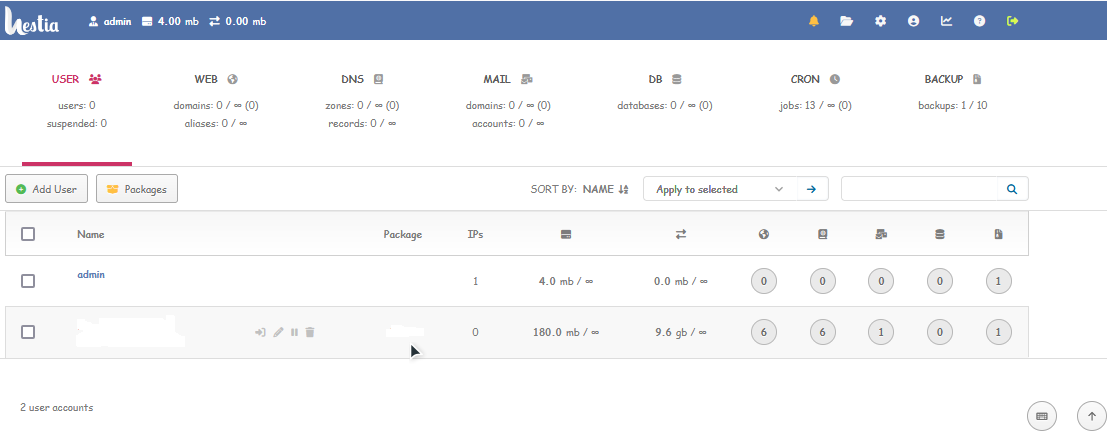
Control Panel Homepage

enter image description here

Enable two-factor authentication (2FA) for the admin user -- Documentation

Since the admin user has full control on the server, as well as elevated privileges, it is greatly recommended that you enable 2FA on this account. To access your account settings, click the user button in the top right.

  • In your account settings, check the box labeled Enable two-factor authentication.
  • Click the Save button in the top right.
  • Scan the QR code using an authentication app.
  • Save your Account Recovery Code somewhere safe, in case you lose access to your authenticator.

To secure your account further check out the following tutorial (applies to everyone using linux): Secure Linux Server

Linux - Find files having 0777 permission level!

- Posted in Linux/Unix by

A 0777 permission means -rwxrwxrwx for files & drwxrwxrwx for folders. Look it up here for more details.

Again, I will not try and go on about how security matters and how the incorrect file permission makes your Linux system vulnerable.

A file with permission 0777 is open to everyone for read and write. Any user logged in to system can write to this file. Which can be harmful for your system.

In some conditions you do require 0777 permissions, like log files. However, in most cases it is best to not have this.

The easiest way to locate all files having 0777 permission is:

find /path/to/dir -perm 777

The -perm command line parameter is used with the find command to search files based on permissions. You can use any permission instead of 777 to find files with that permission details only.

For example to search all files with permission 0777 under the logged in user home directory, type:

find $HOME -perm 777

The above command will search all the files & directories with permission 777 under the specified directory.

But if you don’t want to include directories in this list. Define the type with -type in command line parameter as below.

This will search only files with permission 777 under the /var/www directory.

find /var/www -perm 777 -type f

To search for directories only, type:

find /var/www -perm 777 -type d